Cleaning Guide

Generic cleaning agents have recently become popular following the shortages from the pandemic. As homeowners and cleaning agencies resort to using these chemicals, some individuals are uneducated on how to properly incorporate them in their cleaning routine.
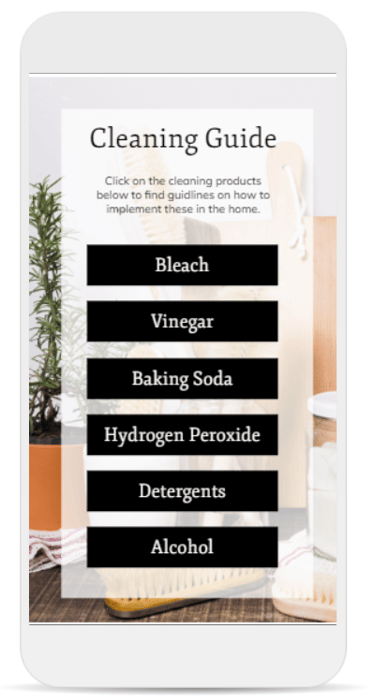
Instead of creating a course or learning module on how to use each of the chemicals, a simple tab interaction was developed for mobile users. This allows them to quickly pull up the resources while in the middle of cleaning.
The goal of this project was to create a quick approved guide of chemical use in cleaning products.
Create an interactive infographic that gives quick actionable insights for cleaners to use on the job.
Prioritize safe chemical practices and ensure that warnings are visible at the beginning of the page.
Objectives & Goals
My Roles & Responsibilities
For this concept project, I acted as the SME calling on my background in chemistry. This was a fairly quick project for me to put together. I created a simple storyboard and visual mockups to build a prototype. After receiving some feedback from future users, I used Articulate Storyline 360 to build out the interaction.
Snapshot
Tools Used:
Articulate Storyline360
Figma
Applied Features:
Media States
Mobile Hotspots
Process & Approach
Content Collection: I partnered with a cleaning agency that focuses on basic products typically found in the home. With this list I was able to use my background knowledge to build out the full content list. After deciding which chemicals to include I had to determine what information is most important to the audience.
Use Case: I built a prototype with Articulate Storyline 360 using the bleach tab. My original plan was to make the warning label so obvious that users were forced to notice it. I had an additional layer pop up on the Bleach tab and users had to close out of it. But stakeholders felt this was too redundant as you had to do this for each of the other chemicals too. While it only took seconds to close out of, it contributed to frustrated users. Instead of a warning layer, I decided to make the hazardous information stand out at the top of each slide. This way it is still the first thing that users read, so it is not overlooked.